Watch a brick model come apart, step by step
legogen turns a BrickLink Studio or LDraw model into an exploded view, a teardown video and an interactive viewer, all driven by the model's own build steps. It can also design a new model from one sentence and check that it can really be built.
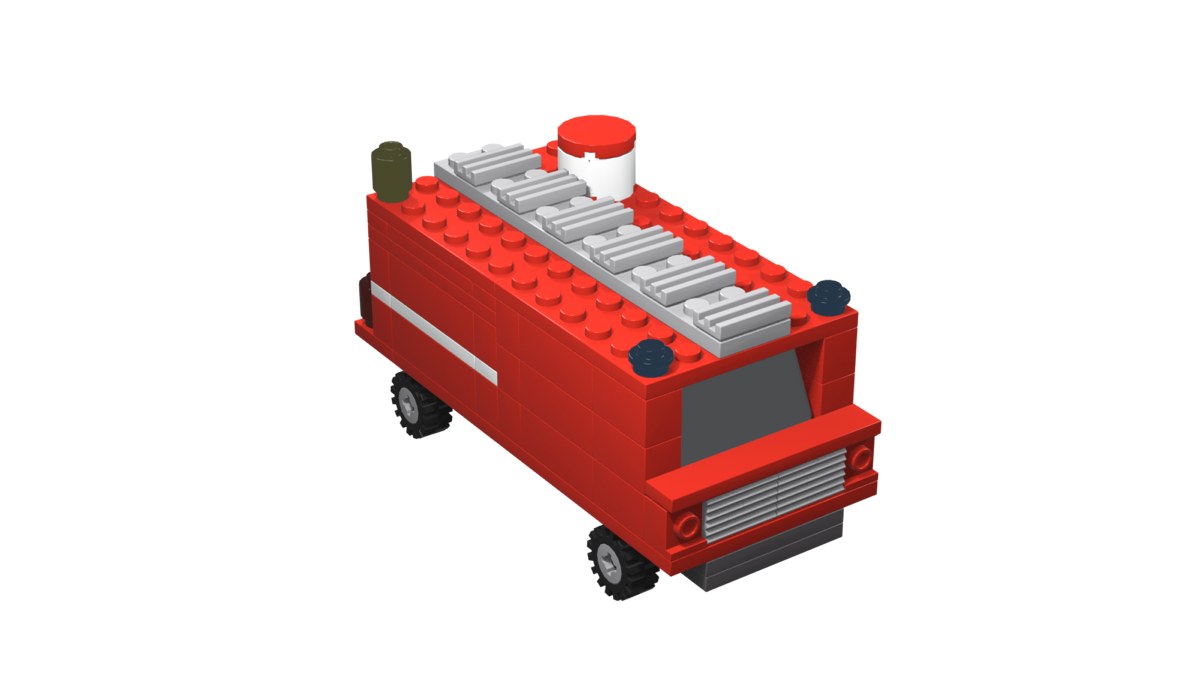
Loading the fire truck
One model file in, three things out
Export your model with its build steps. The pipeline reads the steps and submodels, so nothing is keyframed by hand: submodels fly apart for the exploded view, and the teardown runs the build steps backwards.
-
A rendered video
The model explodes into its submodels, goes back together, then comes apart last step first. Every part lifts off along its studs and lands in a flat parts layout, sorted by shape and colour.
out/lego_explode.mp4 -
An interactive viewer
A web page that plays the same animation as you scroll. Drag to turn the model; a callout lists the parts in each step, like an instruction booklet.
web/ -
An animated glTF file
The baked animation and the step-by-step parts lists, ready to drop into your own site or app.
model.glb + timeline.json
How it works
Four commands take a model from Studio to a finished video and viewer.
-
Export from Studio
Choose File › Export As › LDraw. The build steps you set in Instruction Maker, and your submodels, come along in the file.
models/your_model.mpd -
Build the scene
Blender imports every part, groups the submodels, works out which way each part lifts off, and plans where it lands in the parts layout.
blender/build.sh models/your_model.mpd -
Render the video
Cycles on the GPU at 1080p, about 15 seconds a frame on an M2 Pro. Add
--previewfor a quick EEVEE pass.blender/render.sh -
Open the viewer
The same animation in the browser, scrubbed by scrolling, with a step callout for every part that comes off.
cd web && npm run dev
Describe a model and let Claude design it
Claude writes the model as a spec: slabs, walls, slopes, wings, wheels and single parts on a stud grid. legogen turns the spec into real parts and checks it. Every problem goes back to Claude with the line that caused it, and Claude keeps revising until the model holds together.
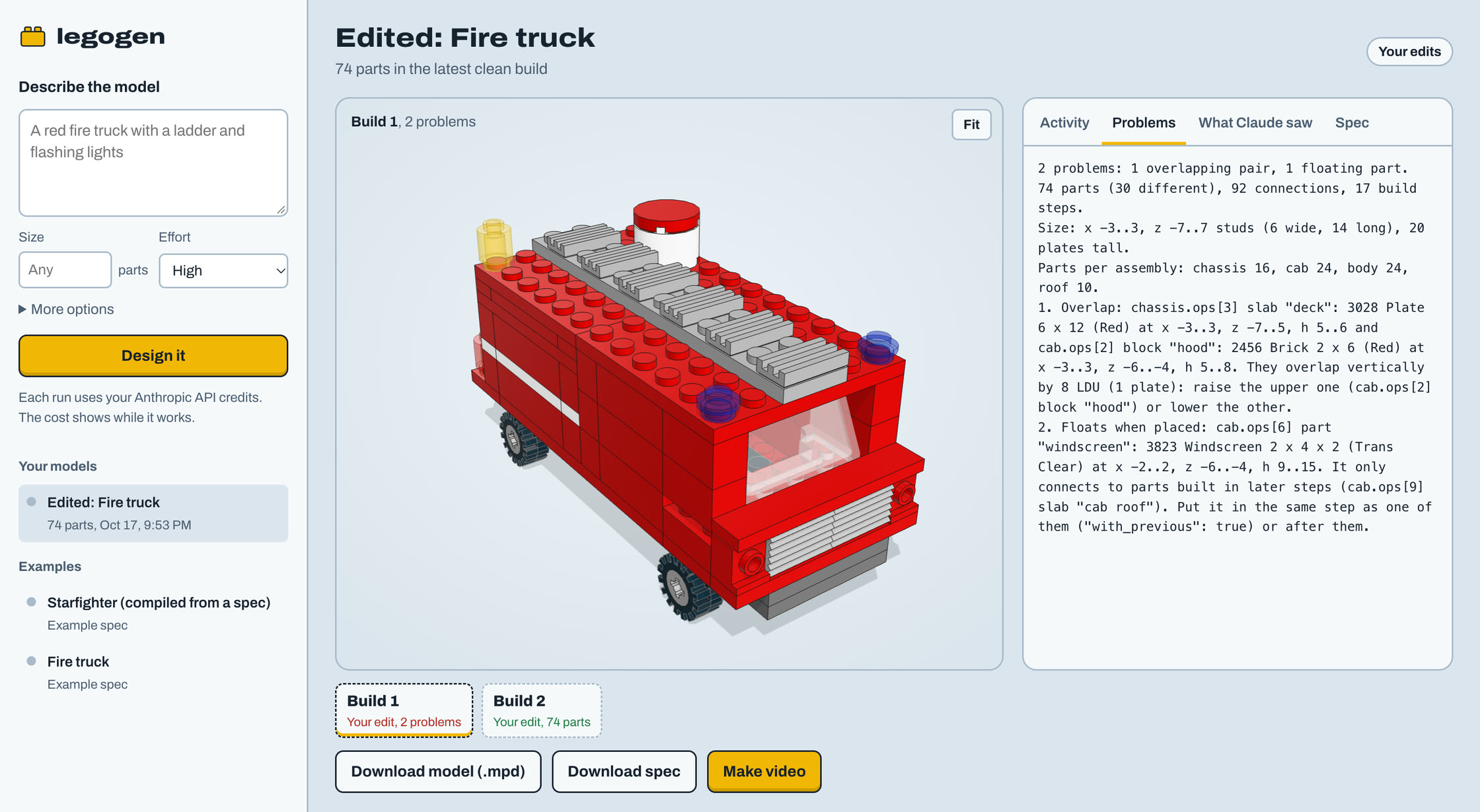
Open the generator page
It runs on your Mac and opens in your browser. Describe a model in the sidebar, pick a size, and press Design it.
.venv/bin/python -m legogen serve --openThe page is at http://127.0.0.1:8765. Without an API key you can still open the two examples, edit them and check your changes.
-
Watch every build
Each version Claude tries shows up in 3D as soon as it's checked, with its problems beside it and the cost so far.
-
Edit the spec yourself
Change any line and check it again. That runs only legogen's checker, so it's instant and free.
-
Make the video
One button runs Blender on the build you picked and plays the teardown in the page.
- You describe the modelName the subject, its colours and the details it's known by.
- Claude writes a specIt plans a footprint, splits the model into sub-assemblies and lays them out layer by layer.
- legogen builds and checks itReal parts fill each shape, then the checker looks for overlaps, loose parts and floating steps.
- Claude fixes each problemThe report names the operation, the part and where it is, with a likely fix.Steps 3 and 4 repeat until a build has no problems.
- Claude checks the lookIt sees the model from three angles and adjusts proportions, colours and details.
- The model is savedA spec you can edit and an .mpd file that opens in Studio, both in
models/generated/.
13 problems: 3 overlapping pairs, 5 loose parts, 5 separate pieces.
10 parts (8 different), 4 connections, 8 build steps.
Size: x -12..12, z -4..4 studs (24 wide, 8 long), 6 plates tall.

1. Overlap: base.ops[0] slab: 3036 Plate 6 x 8 (Dark Bluish Grey) at x -3..3, z -4..4, h 1..2 and base.ops[1] block "left wall": 2456 Brick 2 x 6 (Red) at x -3..-1, z -4..2, h 1..4. They overlap vertically by 8 LDU (1 plate): raise the upper one (base.ops[1] block "left wall") or lower the other.

3. Not attached to anything: base.ops[3] part "on a tile": 3005 Brick 1 x 1 (Yellow) at x 0..1, z -4..-3, h 3..6. Nothing has studs in its underside and nothing sits on its studs. Check that h puts it directly on top of a part that has studs there (tiles and the sloped faces of slopes have none).
The generator needs an Anthropic API key, or a login from ant auth login. You can also run it in the terminal: legogen generate "a red fire truck with a ladder" --parts 150. Every attempt, render and the full transcript stay in out/generate/. The fire truck at the top of this page is one of the two example specs Claude learns the format from.
Checked the way a builder would
legogen check works on any .ldr, .mpd or Studio .io file. It reads the shape and connection points of every part from the LDraw library.
- Nothing overlaps
- Solids come from the real part geometry, so a slope's low side leaves room above it.
- Every part is held
- By studs, by a Technic pin, axle or bush through a hole, or by a wheel on its pin and a tyre on its wheel.
- It's one piece
- The model can't fall apart into separate chunks.
- It builds in order
- Each part attaches to something already built, so no step asks you to hold a part in mid-air.
mistakes found in the hand-built spaceship: a tile half a stud off the grid, side strips that floated until a later step, and walls resting on wings that were built after them.
Get started
legogen runs on a Mac. Try it on an example model first, then export your own.
- Blender 5.2 with the ImportLDraw add-on
- The LDraw parts library in
~/ldraw - ffmpeg, Node 24 and Python 3
- An Anthropic API key, for the generator only
# Python packages for the generator and tests
python3 -m venv .venv && .venv/bin/pip install -r requirements.txt

# Build, render and view the fire truck
blender/build.sh models/examples/fire_truck.json
blender/render.sh --preview
cd web && npm install && npm run dev# Design your own model in the browser (set ANTHROPIC_API_KEY first)
.venv/bin/python -m legogen serve --openThe README covers tuning the timing, camera and explode distances in blender/config.json.